
Copilot Studio Multi-Agent Orchestration
Design patterns for multi-agent orchestration in Microsoft Copilot Studio — including intent routing, context passing, per-agent governance, and unified observability across specialist agents.
Copilot Consulting
April 21, 2026
7 min read
In This Article
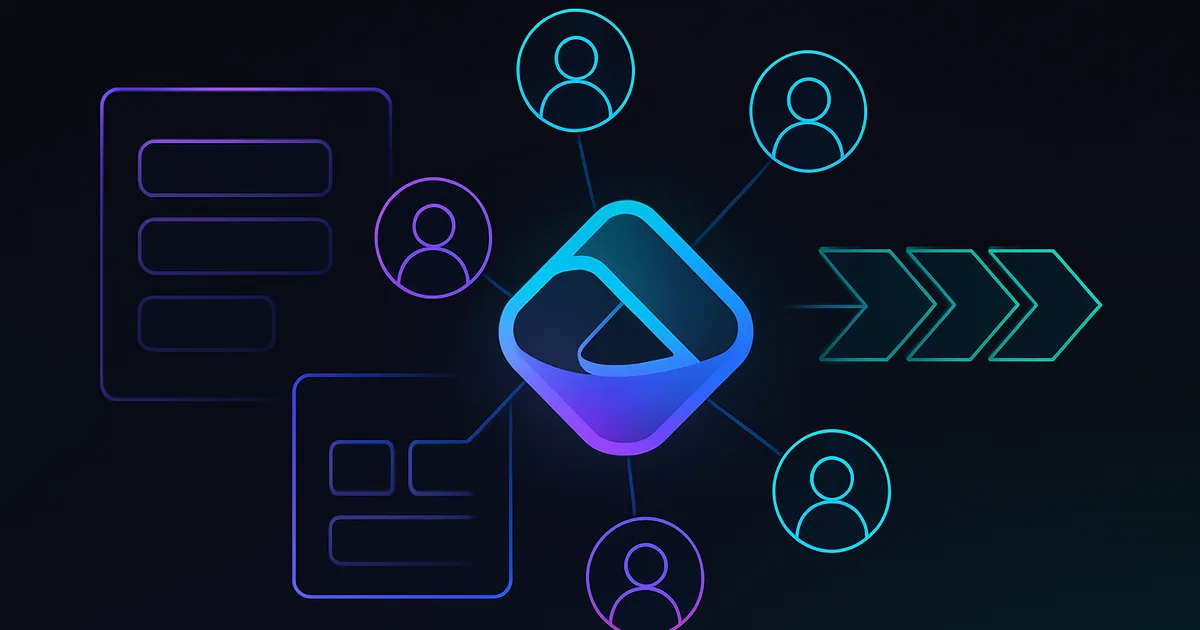
As enterprise Copilot portfolios mature past a dozen agents, the next architectural challenge appears: multi-agent orchestration. Users do not think in terms of "which agent do I talk to." They think in terms of "help me solve my problem." When the solution to their problem spans learning, HR policy, IT provisioning, and finance in a single conversation, the right answer is not a single monolithic agent that tries to do everything. It is a well-designed orchestration layer that routes intents to specialist agents, passes context between them, and presents a coherent experience back to the user.
This guide captures the multi-agent orchestration patterns our consultants deploy on Microsoft Copilot Studio. It is written for solution architects designing agent portfolios expected to scale past ten specialist agents.
Why Multi-Agent Orchestration
The alternative to multi-agent orchestration is the monolithic agent: one agent that handles every use case through a forest of topics, knowledge sources, and actions. Monolithic agents fail at scale for predictable reasons:
- Knowledge dilution: Too many sources degrade retrieval quality across all use cases
- Topic complexity: Decision tree bloat makes the agent brittle and hard to maintain
- Ownership ambiguity: Nobody owns the whole thing and therefore nobody maintains it well
- Governance incoherence: Different use cases have different data sensitivity, but the monolith applies a single policy
Multi-agent orchestration solves these problems by decomposing the portfolio into specialist agents, each with bounded scope, clear ownership, and appropriate governance, plus an orchestrator agent that routes.
The Orchestration Architecture
The reference architecture has four layers:
Layer 1 — The user-facing orchestrator
A single agent that users interact with. It does not solve problems directly. It classifies intent, gathers minimal context, and routes to the right specialist.
Layer 2 — Specialist agents
Each specialist owns a well-scoped domain: Learning, HR Policy, IT Help, Finance, Sales Enablement, and so on. Each has its own knowledge, topics, actions, and governance.
Layer 3 — Shared context and state
A structured context object that travels with the user across agents: identified user, session metadata, routing history, minimal operational context.
Layer 4 — Governance plane
Cross-cutting controls: identity, authorization, DLP, audit logging, observability.
The user experience is a single conversation thread. The implementation is multiple agents working together under a consistent identity and context.
Routing Strategies
The orchestrator's primary job is routing. Three routing strategies are common:
Strategy 1 — Intent classification
The orchestrator uses the generative model to classify the user's intent, then invokes the matching specialist. This is the most flexible pattern but requires careful prompt design and observability.
Strategy 2 — Explicit menu
The orchestrator presents the user with categories, lets them choose, then routes. Simpler but less natural.
Strategy 3 — Hybrid
Accept natural language, classify, and if confidence is low, fall back to an explicit menu. This is our default recommendation.
Design rules for the orchestrator
- Keep the orchestrator's topic list minimal. Its responsibilities are: greeting, intent classification, routing, and ambiguity resolution.
- Store routing decisions in the session context so the orchestrator can maintain coherent follow-up.
- Handle transitions explicitly. When routing to a specialist, tell the user which specialist is handling their question.
- Support explicit re-routing: "I'm looking for something else" should bring the user back to the orchestrator.
Context Passing
The context object is the backbone of the user experience. What travels between agents and what does not is a design decision with real consequences.
What travels
- Identified user (Entra object ID, email, display name)
- Session identifier
- Routing history (previous agents in this session)
- Minimal state needed for continuity (active ticket id, current opportunity, etc.)
What does not travel
- Raw conversation history from prior agents (each agent sees only its own conversation; use summaries if continuity is required)
- Sensitive fields that the downstream agent does not need
- Arbitrary user metadata that creates governance complexity
Sanitization
When passing context between agents with different data sensitivity, sanitize. A finance agent invoked from the orchestrator should not receive HR-specific context that is irrelevant to finance.
Specialist Agent Design
Each specialist agent is designed as a standalone agent with the usual rigor. Additionally, specialists built for orchestration have some specific properties:
- Consistent invocation contract: Each specialist exposes a standard entry point that the orchestrator can invoke reliably.
- Context awareness: The specialist reads from the shared context rather than re-asking the user for identity or basic metadata.
- Clear scope boundary: The specialist refuses out-of-scope requests with a consistent escalation pattern (back to the orchestrator or to human help).
- Independent observability: The specialist produces its own telemetry so per-domain quality can be tracked.
Governance Across the Portfolio
Multi-agent orchestration introduces governance considerations that do not exist in single-agent deployments:
Identity
A single Entra identity drives all agent interactions. On-behalf-of flows allow specialists to access resources as the user. Token lifetimes and refresh patterns must be managed centrally.
Authorization
Each specialist enforces its own authorization. The orchestrator does not grant authority; it only routes. A specialist that receives an unauthorized user must reject the request, log the attempt, and return a clean error to the orchestrator.
Data sensitivity
Different specialists may handle different sensitivity tiers. The orchestrator must not pool sensitive context across specialists. Governance policies are enforced at the specialist boundary.
DLP
DLP policies apply at each specialist's environment level. The orchestrator's environment should have the most restrictive policy (since it sees the most users), and specialists may have scope-appropriate policies.
Audit
Audit logs are produced by every agent. A unified audit view that joins logs across agents by session identifier is essential for incident investigation.
Observability for Multi-Agent Systems
Observability for multi-agent systems has more dimensions than single-agent observability:
- Per-agent metrics: Containment rate, grounded accuracy, action success rate
- Per-route metrics: How often is each specialist invoked? Routing accuracy?
- Cross-agent metrics: Session success rate (did the user accomplish their goal across agent transitions?)
- Handoff metrics: Where do users drop out? Which transitions lose the most engagement?
A unified dashboard joining these metrics by session identifier is non-negotiable for programs running more than three or four agents.
Multi-Agent Patterns in Practice
Four specific patterns recur in our deployments:
Pattern 1 — Helpdesk Orchestrator
A front-door assistant for employees with specialists for IT, HR, Facilities, and Finance. The orchestrator classifies intent and routes. Specialists handle actions in their domain.
Pattern 2 — Customer-facing Hub
A customer-facing assistant with specialists for Sales inquiries, Support cases, Billing, and Account management. Requires careful authentication and authorization handling.
Pattern 3 — Executive Briefing Hub
An executive assistant that orchestrates across Calendar, Email, Pipeline, and Strategic Updates specialists. Emphasizes synthesis and summarization across domains.
Pattern 4 — Project Workspace
A project team assistant with specialists for Project Status, Deliverables, Risks, and Stakeholder Communications. Scoped to a single program or initiative.
Each pattern has a different mix of synchronous and asynchronous behaviors, identity considerations, and governance profiles.
Technical Implementation on Copilot Studio
In Copilot Studio, multi-agent orchestration is implemented using a combination of:
- Connected agents (the native multi-agent capability)
- Actions that invoke other agents via API or MCP
- Shared context variables passed through action parameters
- A central Dataverse table that tracks session state across agents
- Environment-level solutions for specialists, with consistent release management
Sample orchestrator topic
Topic: RouteIntent
Trigger: Any message
Steps:
  1. Read session state from Dataverse (if exists)
  2. Invoke generative classifier with user input + prior routing
  3. Branch on classification:
     - "it_help" → Invoke IT Help agent with context
     - "hr_policy" → Invoke HR Policy agent with context
     - "finance" → Invoke Finance agent with context
     - "ambiguous" → Present explicit menu
  4. Record routing decision in Dataverse session state
  5. Return specialist response to user
Sample context object (Dataverse entity)
session_id (unique id)
user_object_id (Entra)
last_agent (string)
agent_history (json array)
active_work_item (string, optional)
created_on (timestamp)
last_updated (timestamp)
sensitivity_tier (enum)
Operating a Multi-Agent Portfolio
A multi-agent portfolio is an operational commitment. Our recommended operating pattern:
- Weekly: Per-agent evaluation against fixed test sets
- Monthly: Portfolio review by the governance council (routing accuracy, user satisfaction, incident review)
- Quarterly: Architecture review (consider adding/removing specialists, rebalancing capabilities)
- Annually: Holistic portfolio assessment (ROI, user adoption, cost, future roadmap)
Without this cadence, portfolios drift into incoherence within eighteen months.
Common Multi-Agent Mistakes
Five recurring mistakes:
- Building the orchestrator before the specialists: Orchestrators work best when specialists are already operational. Build the specialists first; add the orchestrator when you have at least three specialists worth connecting.
- Pooling context insecurely: Passing everything between agents creates governance surface you will regret.
- Specialists without clear boundaries: Overlapping scope causes routing ambiguity and inconsistent user experiences.
- No unified observability: Operators cannot diagnose cross-agent failures without joined telemetry.
- Ignoring the user experience: From the user's perspective, agent transitions should be transparent. Poor handoffs feel like being bounced between siloed departments.
When Not to Use Multi-Agent
Multi-agent orchestration is not always the right answer. Use a single agent when:
- The scope is narrow enough that a single agent is tractable
- The user population is homogeneous and the use case is focused
- The organization lacks the operational capacity to maintain multiple agents
- The cost of orchestration outweighs the benefit of specialization
Start with a single agent. Grow into multi-agent when the portfolio reaches that maturity.
Conclusion
Multi-agent orchestration is the architecture pattern enterprise Copilot programs grow into as they mature. Done well, it produces a coherent user experience across a specialized portfolio. Done poorly, it produces fragmentation and governance gaps. The patterns and practices in this guide are the ones we have seen produce durable outcomes.
Our consultants design and operate multi-agent portfolios for enterprises running large Copilot Studio programs. Schedule a Copilot Studio advisory to architect the right portfolio for your environment.
Copilot Consulting Team
Microsoft 365 Copilot Specialists
Our team specializes in Microsoft 365 Copilot adoption, AI governance, and Copilot risk mitigation for compliance-heavy industries. We help enterprises deploy Copilot safely with the right Microsoft Purview controls, oversharing remediation, and adoption frameworks.
Frequently Asked Questions
Why use multi-agent orchestration instead of one large monolithic agent?
What does the reference architecture for multi-agent orchestration look like?
What routing strategies work best for enterprise orchestrators?
What context should be passed between agents in a multi-agent system?
What governance considerations are unique to multi-agent systems?
When should an enterprise NOT use multi-agent orchestration?
What are the most common multi-agent mistakes to avoid?
In This Article
Schedule a 30-minute working session
Get a 30-minute working session with one of our senior consultants to walk through how the technical guidance in this post applies to your tenant.
Related Articles
Related Resources
Need Help With Your Copilot Deployment?
Our team of experts can help you navigate the complexities of Microsoft 365 Copilot implementation with a risk-first approach.
Schedule a Consultation